Tag Archives: connected learning

Integrating Digital Learning

Today was Digital Learning Day.  And I’m all for focusing attention on digital learning to cast a spotlight and encourage more widespread participation.  But I’m also thinking about the ways digital learning doesn’t fit in a day.

A glance at my Twitter feed today showed students blogging, making movies, writing arguments, voicing opinions, speaking out against bullying, creating digital stories, exploring stop motion animation, using QR codes, tweeting 6 word literacy memoirs, having silent discussions on digital discussion boards…and lots of collaboration, experimentation, and students and teachers learning together.  I’m excited that so many of the examples of digital learning I saw were about students creating and producing rather than a passive use of the digital.

But I’m wishing for an “Integrating Digital Learning” day or week or month or year.  I feel like we need a push for districts and schools and educators to think carefully about the ways digital learning can and should be integrated into the overall school curriculum,  We could still have a “try something new” with Digital Learning Day to encourage experimentation and push educators and students to continue their learning about the possibilities of digital learning, but also focus attention on intentional integration of digital learning…which would also highlight the very real needs related to digital integration.

It’s hard to integrate digital learning when you don’t have access to digital devices, or when the internet is spotty…or sites you need access to are blocked.  When the digital devices can’t be depended on, it’s hard to make plans to seamlessly integrate their use into the day to day plans for learning.

As we talked about Digital Learning Day with our students this morning, they reminded us of ways we use digital tools that have become so commonplace that we take them for granted. They pointed out that we (their teachers) use our computers (and printer)  to print their math “sticker problems” and we depend on our Apple TV devices to allow us to share work wirelessly from our laptops…and our students to share their work from their iPads.  We use the document camera to display song lyrics and share poetry and computers for showing digital video clips.  My teaching partner and I also regularly use our phones to snap photos of students in action, documenting and highlighting student learning.

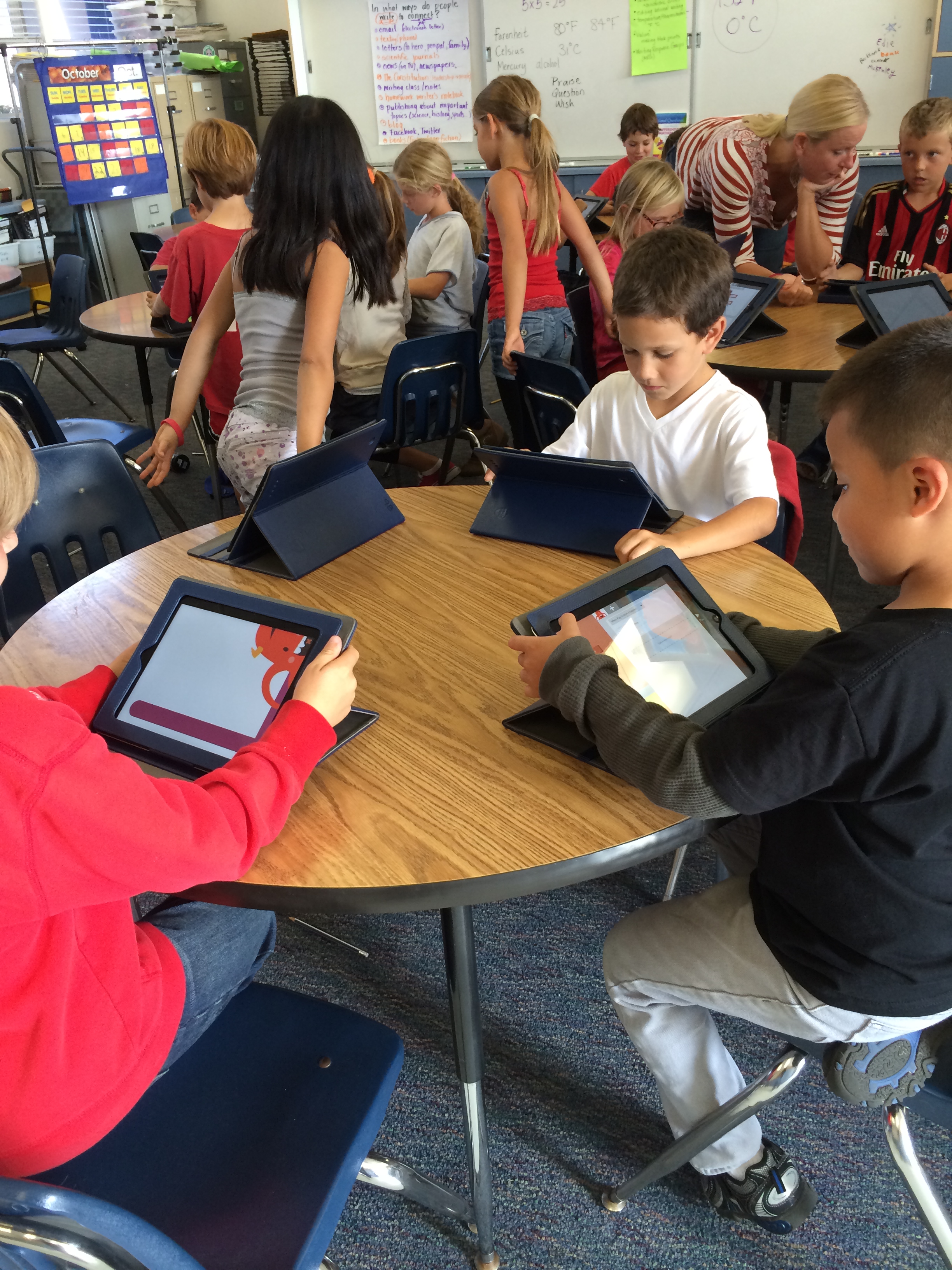
And then there are the iPads.  Many of our students gather in the classroom before school to work on programming with Hopscotch, continue a blog post, or practice math on a district-wide digital math program.  They love this informal “workshop” where they share discoveries and support each other in this unstructured learning environment.

We aim for our devices to become as invisible as pencils and paper.  Today we needed to count the money we had raised for our micro loan.  We suggested that students use the whiteboard function of Educreations to keep track of their calculations as they counted a portion of the cash.  They document their process…and we don’t need paper.  (Although we did have one group who found that they needed paper and pencil!)
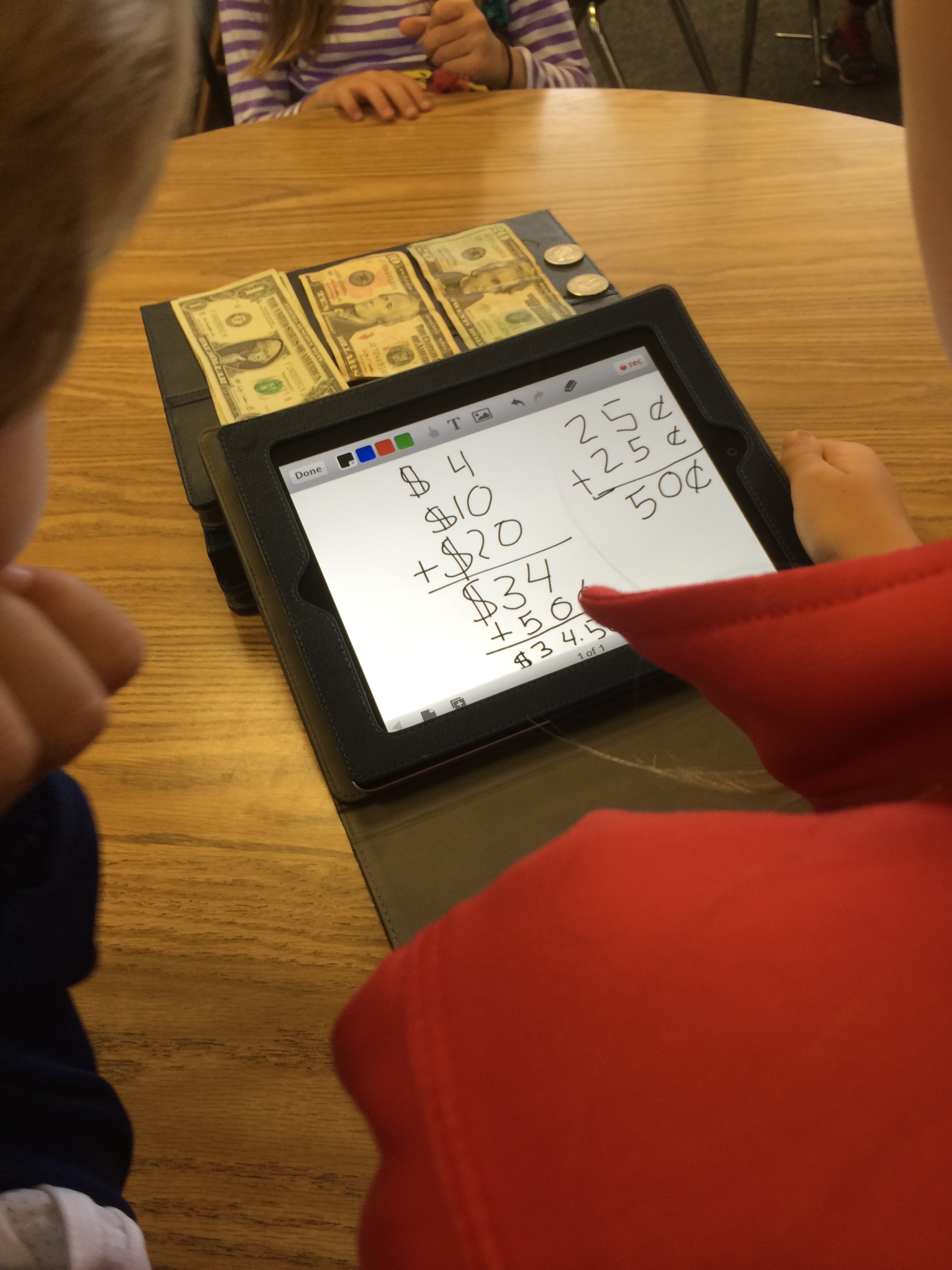
photo-89

We also embarked on our digital story project…an opportunity for students to tell the story of our micro loan project.  Students examined an example of a digital story, noticed the parts, considered potential tools, and set to work. In teams they will develop a digital story, so today was all about the planning…figuring out what story they will need to tell in their finished product.  They are already talking about the iterations they will need to go through…and can’t wait to draw pictures to digitize!  This is not a one-day project.  We hope they will be done by the end of next week!

The biggest difference for us on this Digital Learning Day was that we highlighted, both in class and publicly, the ways digital learning takes place in our class.  Digital learning is becoming routine in our classroom, and we often don’t notice whether we are using digital tools or not.  Some of our most successful digital projects often include more traditional classroom tools like pencils, paper, paint, and books as part of the digital process.  And I think that is what we want with digital learning.  Digital is another option.  Sometimes it’s the best option, sometimes it’s not necessary…but it’s nice when we can choose to use what works best, not what is least expensive.

Although Digital Learning Day has come and gone, our students will continue their digital learning.  What will learning look like in your classroom tomorrow?  How do you integrate digital learning in your teaching and your students’ learning?
Connected and Digital: A Reflection

Today I had the opportunity to be a panelist on a webinar entitled, “Connected and Digital: Improving Learning for All Students,” put on by the Alliance for Excellent Education in conjunction with Digital Learning Day and their Digital Learning Transition MOOC.

I’ve been exploring connected learning for a while now, and love the way the learning principles:

  • interest driven
  • peer supported
  • academically oriented

and design principles:

  • production-centered
  • openly networked
  • shared purpose

work together to create a powerful dynamic for learning.  In my view, connected learning is the embodiment of what it means to be a lifelong learner, learning because you want to, because you are interested, because you find it compelling and enjoyable.  And that is what I want for myself and for my students.  And just like my students, sometimes my interest in a topic or activity is piqued because someone drew my attention to something I didn’t even know that I wanted to learn about.

When I was invited to talk about connected learning and digital learning and the relationship between the two I had a little laugh at myself.  A couple of years ago I remember asking over and over again, as part of a group exploring connected learning, if connected learning meant digital learning.  And while I was given answers, it was this summer when I participated in the Connected Learning MOOC (clmooc) that I came to a firm understanding that all connected learning doesn’t have to be digital, but that digital tools allow for an amplification of learning that is often not possible without it.  I know it has had a profound impact on my photography as I share my efforts and connect with others across the nation and all over the world who have similar interests.

What I loved most about my experience on the panel today was the opportunity to think deeply and carefully about why I believe connected and digital learning are important in schools and their relationship to issues of equity and access.  Mary Ann Wolf, who moderated the webinar, took the time before the actual webinar to talk with each of the panelists separately about our experiences and views and then constructed a series of questions for us to think about a few days prior to today’s event.  I like the question/answer format, that while structured, still allows for a flow of ideas and responses to one another’s ideas.

I also like that although I was one of the panelists and had already done a lot of thinking about this topic, I found the conversation interesting, illuminating, and stimulating.  Comments made and information shared by Bud Hunt and Sara Hall have me thinking about aspects of connected and digital learning that I haven’t given my full attention just yet.  I left the hour-long conversation with a full brain and many more ideas to think about, as well as resources to explore and new contacts to reach out to in this journey.

If you are interested, here is the archived version of the webinar:

What do you think about connected learning and digital learning?  How are they enacted in your classroom?  In your life?

Making and Learning

Instead of thinking about teaching on Tuesday, I spent my day thinking about learning.  On the plane Tuesday morning I sat next to a young family who had vacationed in San Diego to go to Legoland with their two young boys…and got stuck Monday night because of the domino effect of the weather in the midwest and east coast.  For being pretty tired, the boys were great.  The littlest guy (maybe 3 or 4) was playing a game on his DS system.  Whenever he got “stuck,” he would hand the game system up to his older brother (who was maybe 5) in the seat in front of him and ask for help.  Brother would play the troublesome spot and then hand the game back and little guy would go on with his play.  After his brother tired of helping, mom would help…and coach as she did so.

At the same time I was reading Invent to Learn, a book about the maker movement and the value of engaging learners in meaningful activity to maximize learning.  It begins with the theory behind making as learning…including information about Piaget, Montessori, Dewey, Vygotsky, the Reggio Emilia system, and folks at MIT, including Seymore Papert.  The book emphasizes what they call the constructionist (rather than the constructivist) theory of learning.  Their argument is that through the concrete construction of meaningful projects, learners gain rich, layered skills that serve them in school and beyond.  They also emphasize the value of play.

I landed in Oakland and made it on time for my 9:00 meeting at the National Writing Project offices in Berkeley with a small group of like-minded educators interested in the maker movement, interested in the intersections of literacy and science and STEM-related learning, interested in meaningful learning, both in and out of schools, for young people in their community. We gathered to consider ways schools and writing projects might collaborate with other organizations to further these goals.

I wrote about my experience in Boston with paper circuitry here, and today we met with Jen Dick and David Cook to continue to build our relationship and thinking about the ways writing and circuitry enhance each other and might support student learning in and out of schools.  We began by talking about our own experiences with paper circuitry and the benefits and barriers to bringing it to our own contexts.  Lou had managed to secure some LED stickers from Jie in Boston and returned to his high school class in Northern California where he introduced his students to the paper circuitry project.  He described the success and excitement his students experienced and what he learned from both his students and his own children who also tried out the process.

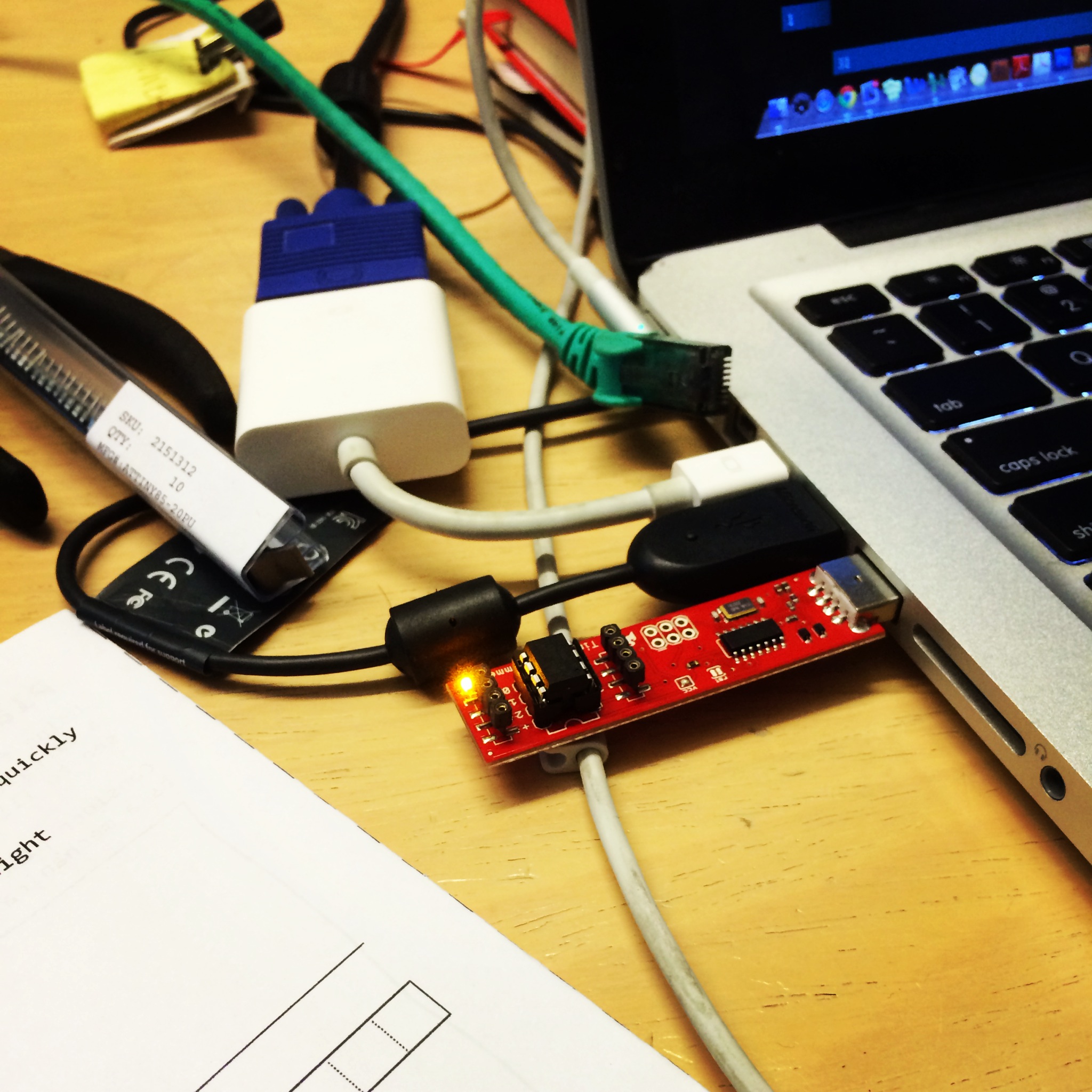
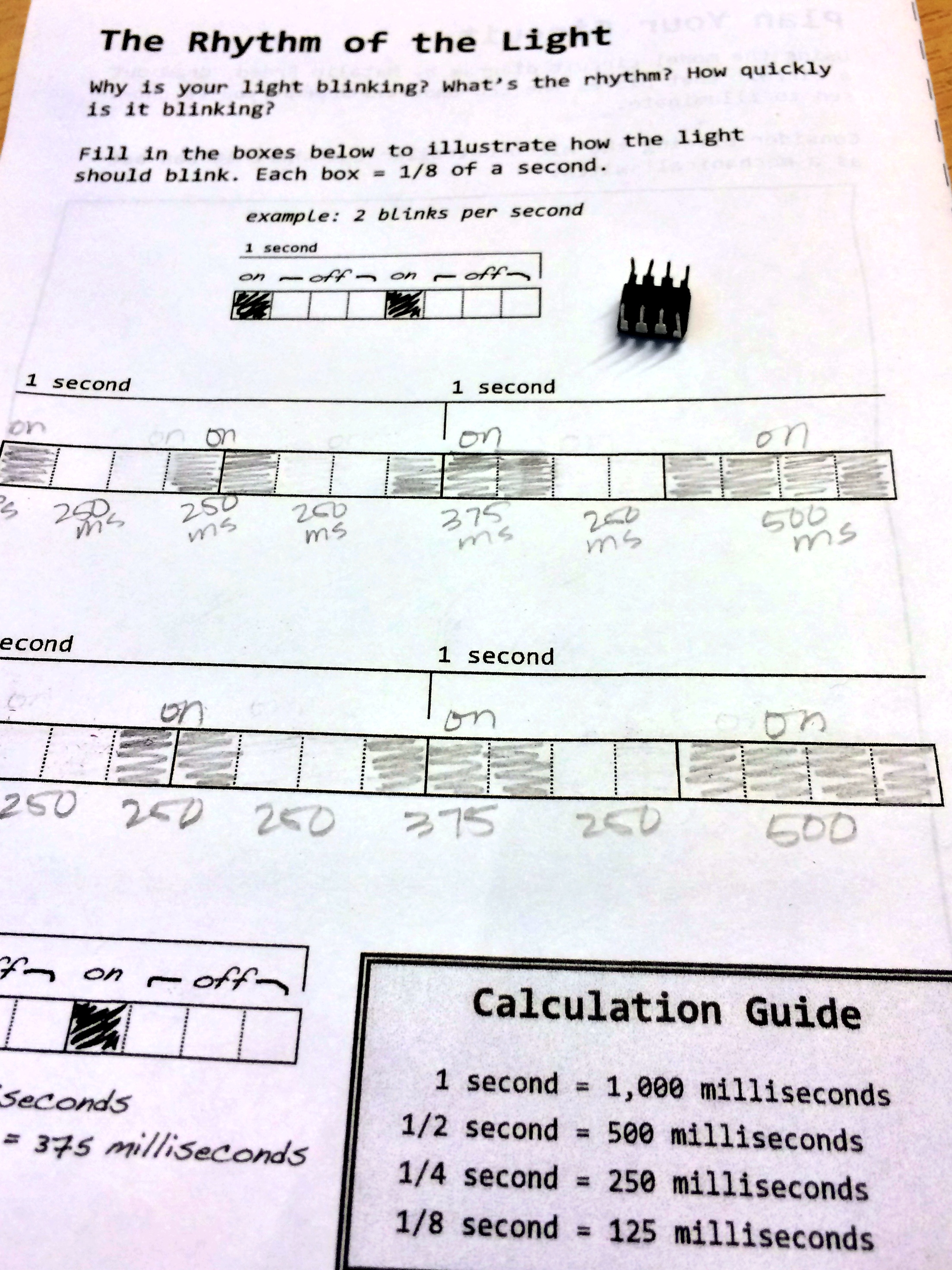
We took our circuitry learning a step further and programmed mini controllers to make our LED lights blink on and off at intervals we selected.

photo-44

photo-43

We also learned about some other exciting new developments on the horizon for merging the science of circuits, technology with programming, and writing.  I still find myself thinking mostly about what students learn when they make a plan and then need to troubleshoot and iterate to get it to work the way they intend.  Systems thinking is a powerful tool that we employ throughout our lives across subject matter and circumstances.

Jie, the designer of the LED stickers, also Skyped with us after we worked with the circuits and we all thought together about how these stickers impact the experience of working with the circuits..and with the the experience of the creating of writing and imagery with the lights.  I appreciate Jie’s attention to the aesthetic experience of composing writing and art and how it is enhanced or impeded by the circuits rather than putting the circuits themselves at the front of the project.  By considering the work as a whole…light and drawing and writing…she reminds us that it is the integration of these elements that create the meaningful result.

The morning ended with the group thinking about how we might put these LED stickers to use back in our classrooms and at our writing project sites.  There was much more to the day…but that will have to be another post.

And I am left thinking about learning.  Those little boys on the plane, the book I was reading, my experience programming to create a blinking light all remind me that the best of learning is meaningful, active and interactive, and collaborative.  Even though I understand the basics of circuitry, sitting next to Peter and examining his working circuit informed my thinking…and since I ran out of time before completing my mini project, I will finish it on my own, at home. I’m confident that I know how to make it work and if I do run into a problem, Peter and my others colleagues are just a tweet or email away.  If you want to see Peter’s finished mini project, see his Vine here.

I can’t wait to share my experiences with my students and with my colleagues.  I look forward to exploring all the ways that writing can enhance and expand this circuitry work along with how the circuitry and lights can add another dimension to the writing.

Making and Learning into the New Year!

2013 has been a year of making for me.  It’s not that I haven’t made things in the past…but this last year I have been making things with the focus less about the product and more about what I learn through the making process.  And throughout my making, I’m also thinking about my students and how they might approach a similar make…and what they might learn from the process.

Photography has been a focus of my making this year.  I’ve gone from taking pictures to crafting photos and creating images…and I love the way that the focus on photography and continually working to improve my craft influences the way I view the world and think about learning and making.

So tonight, on New Year’s Eve, I am enjoying a quiet evening at home with my husband, youngest son, and daughter-in-law.  The fire is roaring in the fireplace, the house is filled with delicious smells, and we’re catching up on stories of all the time we spend away from one another since they live in another city.

And…with my son’s help, I made my first stop motion video!

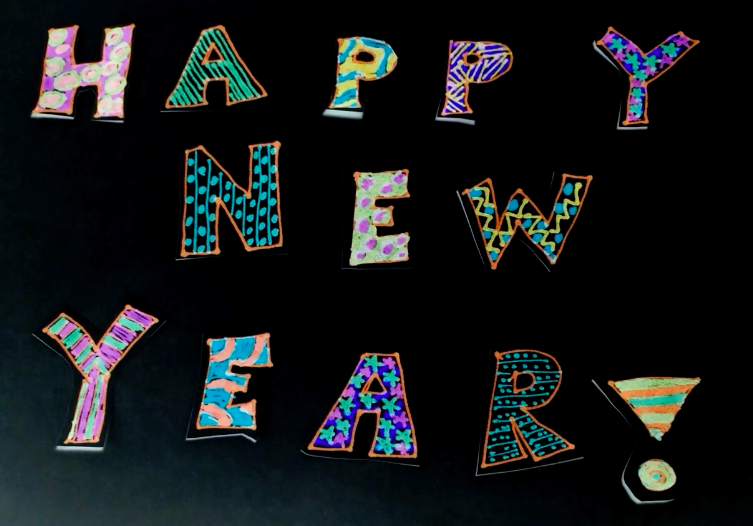
We started with a basic concept based on fireworks on New Year’s (after he showed me a few examples by making some quick stop motion videos in front of me using found items in the living room).  Using a combination of drawing and paper cut outs, we prepared our materials before starting to film.

Together we created our video shooting frame after frame as we built up the motion, carefully moving elements for each shot.  Our goal was not a fancy professional level video–but instead something that my students would be able to do on their iPads.  We shot the entire video on my phone using the imotion HD app.

Since we had shot the video with a white paper background, we searched for ways to invert the colors and make the background black to give the video an evening sky quality.  We looked for apps to use to create the effect, but finally gave up and used After Effects on my son’s computer.  (My students wouldn’t have this ability–but I may also find out about some other apps before then!)

Finally, I loaded the video to Youtube, edited it to loop (since it was only 4 seconds long) and added some New Year’s music from the Youtube library…and voila!

I know I will need to spend some more time trying out stop motion for myself and experimenting with the possibilities.  But already, I know enough to be able to get my students started! Our only problem in the classroom is figuring out how to fit in all the learning and making we want to be doing!  There is simply not enough time in the school day…or in the school year for all the learning we want to be doing!

Happy New Year to all of you!  What did you make and learn on this last day of 2013?  What plans for making and learning do you have for 2014?  If you have any advice for making stop motion videos with students, I’d love to hear it!

Screen Shot 2013-12-31 at 8.41.56 PM

P.S.  If you are interested in trying out a photo-a-day challenge and need some prompts to get you started, check out the photo-a-day prompts we are using in January by clicking here.

Poverty and Programming…and Questions

My internet crashed last night.  The TV wasn’t working, my computer wouldn’t pick up the wireless, and the micro-cell that boosts the cellular phone signal was down too.  I had digital devices…but no connection at all.

I had big plans…to watch some Sunday night football, to do some online holiday shopping, to put together a blog post, and to catch up on some reading of posts made by others.  Instead, I finished my book, put some laundry away, and went to bed a bit earlier than I might have otherwise.

My internet is back up and working today…but my experience last night turned my thoughts to issues of equity and access for students.

It seems that when people think about access to technology, devices are at the front of their thinking.  If only we could put a device in the student’s hand, issues of access are solved.

But there is just so much more to access.  Last night I had access to devices…but none of them would connect me to the internet or allow me to connect in any other way (text, phone, social media, even TV).  I thought about getting in my car and heading down to the local Starbucks to have a cup of coffee and accomplish some of what I planned to do at home.  I didn’t have any hard deadlines…and I knew that I would have internet access when I got to work this morning, so I decided to stay home and do without the connection.

But what if I were a high school student with a Monday morning deadline?  What if I didn’t have reliable internet access in my home…and what if I didn’t have transportation as an option to get me to the Starbucks, the library, or even a friend’s house with internet access? Even if the school provided me with a device, there are so many things I couldn’t do without internet access.

I know there are programs to provide internet service to families with limited means, but I also know that they require paperwork be filled out…and may even require some kind of bank account or credit card to pay the nominal monthly fee.

So why am I writing about this?  I’m thinking about the amount of school work that is assigned as homework. to be completed outside of school and the role that digital tools increasing play in our lives and I’m wondering about how access impacts our students.  Can they create digital portfolios to showcase their learning?  Can they access the information they need to locate resources for research, find scholarship and grant opportunities, secure internships or apply for employment?

How does access change when connectivity is only available outside of your home?  In public spaces?  Places with limited hours of operation?

And what do we take for granted?  We ask students to blog, to research, to reply to discussion boards, to collaborate with Google docs…often outside of the school day.  Which of our students have access…and what happens to those who don’t?  Do our students who come from the poorest families see themselves as producers of technology?  Who is learning to code?  Who is primarily consuming in our digital world and who is producing?  How often do we ask those questions…and how do the answers change the way we think about access and equity?

Last week on Teachers Teaching Teachers, we were on a Google Hangout talking about the Hour of Code and about Dasani.  Two disparate topics…or are they?  Poverty and programming…and questions of equity, voice, agency… What roles do schools play?  What roles should they play? What does it mean to be a learner in the 21st century?  How does “producing” change the learner…the learning?  I have many more questions than answers…and I would love to continue the conversation.  What do you think?

Reach for the Sky

I spend many Saturday mornings immersed in professional learning.  This morning was our first meeting of this year’s SDAWP Study Groups (a hybrid of book study and teacher research).  Sixty teachers met this morning to participate in one of five groups…and the energy in the room was palpable!

In three hours we wrote, discussed our writing and the connections of our processes and preferences to the students we teach…and then broke into smaller groups to get to know one another, explore our new book, and make plans for reading and exploring ideas in our classrooms.  All this on our own time, because we want to grow professionally with others who are also passionate about teaching and learning.

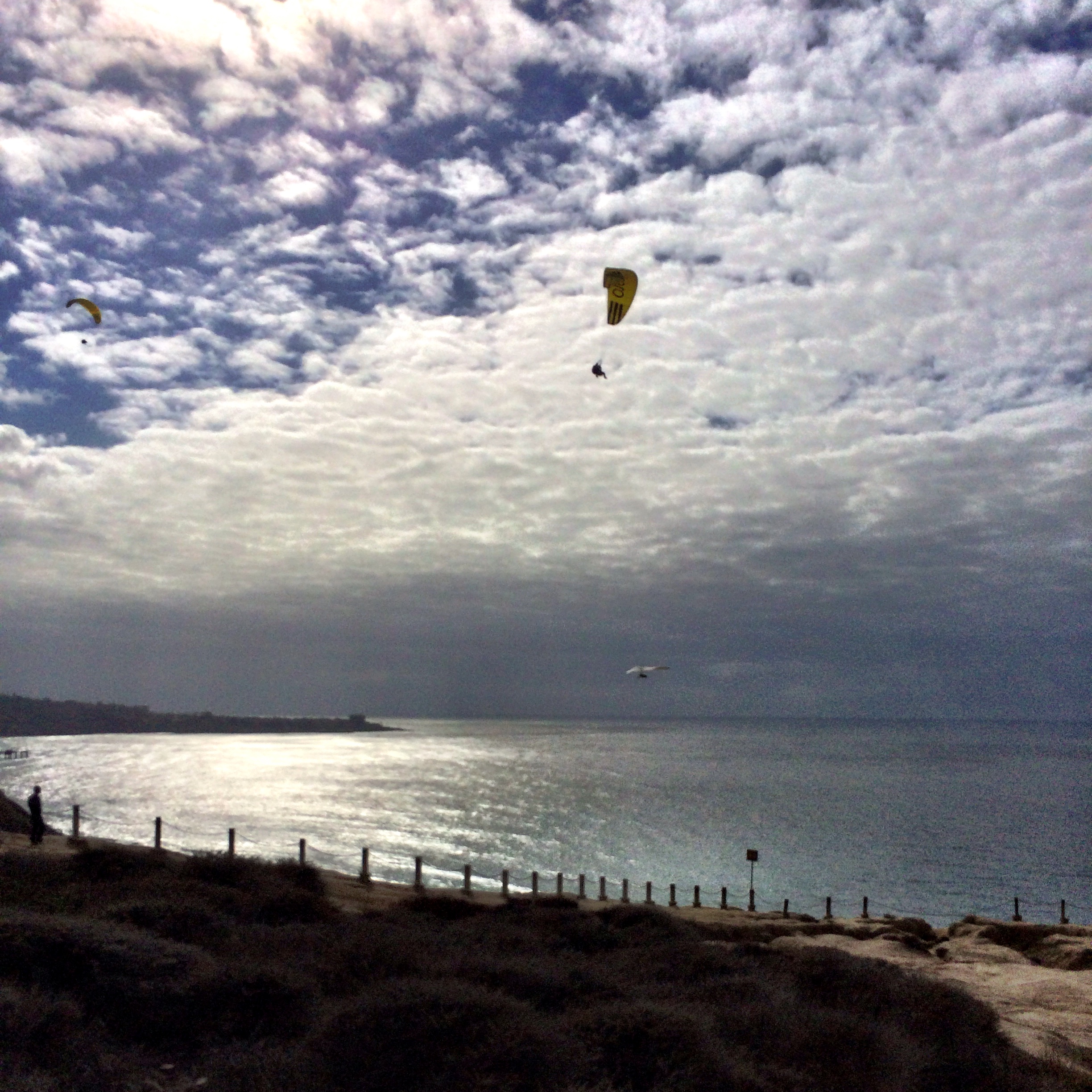
As I was leaving, I noticed hang gliders and paragliders soaring in the sky near the university.  I remembered that the Torrey Pines Gliderport turn off was nearby, so I turned and followed the road down to a dirt parking lot.  And there, along the cliffs overlooking the Pacific Ocean, was a spectacular view of the gliders and the ocean!

photo_1

In spite of the cooler weather (after our 80 degree temps earlier in the week), the conditions were perfect for gliding…and for watching and photographing the gliders in action.

photo_2

While I have no real desire to glide over the beautiful beaches of San Diego, I understand the urge to fly…to experience the freedom and excitement of soaring with the wind currents and looking at the world from a new perspective.

In some ways my experience in study groups this morning was a lot like hang gliding.  There is energy and excitement in gathering with other interested educators to continue learning together.  Interactions with teachers of all levels (K-college) and a variety of schools, districts, and teaching demographics offers new perspectives and views of teaching.  Rich conversations stimulate thinking and encourage actions…we can’t wait to come back next month to share our beginnings and continue our conversations and learning.

photo-3

What conditions for learning allow you to soar?  How do you set up those conditions for your students?

Planning for Coding

You might remember that I’ve been exploring computer programming (or coding) with my young students.  You can go back here and here to see our early attempts.  The basic idea is clear…you write code to make your electronic device do something.  At first, ANY something was fun.  And then we all learned to make a specific something (square and triangle).

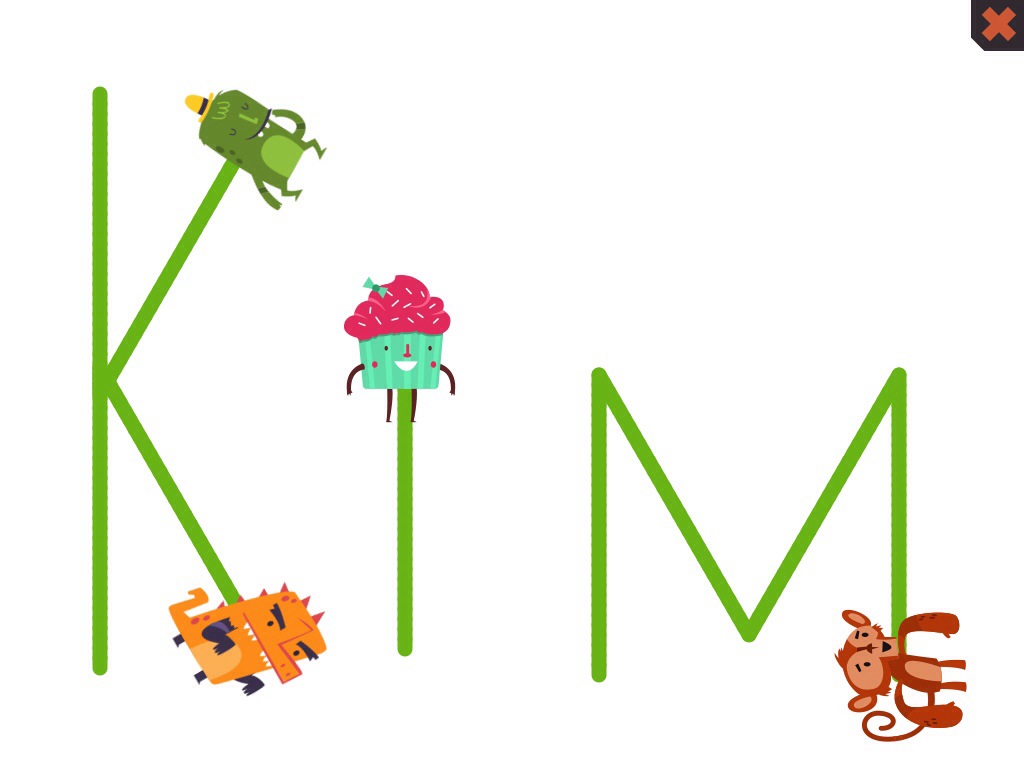
Today we asked students to make a plan for their code and then carry it out.  They drew a quick sketch (we reminded them to keep it simple and to use what they already knew about squares and triangles to get started) in their notebook and then move to Hopscotch on the iPad to carry it out.

I showed them how I had gone home and figured out how to write my very simple name with straight lines and angles similar to those we had used to make our squares and triangles.

20131112-201406.jpg

What I’ve learned is that not all students take to coding equally…and that doesn’t surprise me.  Some students find it hard…and they are at a loss of how to proceed.  I encourage them to study what they have done before, but they need more of the one to one support of having someone sit and talk them through their choices.  Others are quite persistent.  This first grade boy worked and worked to draw this house.  He struggled with the final side, and while it’s not quite straight…he was proud of his accomplishment!

photo_3

Lots of girls liked my idea of drawing letters or writing their own name.  This second grade girl figured out how to make several characters come together to make an “E” to represent her name.

photo_2

And others risked creating something more complex.  This third grader managed to create a picture along with some words of a story.  I got him to take this screen shot for me, but after that he was still adjusting his code and working to make it look just the way he wanted.

photo_1

I love the way that programming allows students to work at their own edge…and teach each other as they figure out something new.  We ran short of time today, but I know that I want to give students time to share how they made their designs with each other (and me).

Using Hopscotch makes me realize just how much more I need to know about angles and rotation in order to get past the basics of squares and triangles!  I just figured out how to make a circle as I was waiting for a dinner meeting tonight!

Have you tried Hopscotch or another basic programming tool?  What do you suggest as next steps for my students?

Thinking about MOOCs

MOOCs (Massively Open Online Courses) are becoming more prevalent.  They seem to be the new “thing” in learning.  Zac over at Autodizactic is asking folks to help him think about MOOCs.

I’m not sure I even know what I think about MOOCs.  Like Zac, I have signed up for MOOCs that I have then abandoned.  It seems easy to both sign up for something that sounds interesting and that you can “attend” asynchronously.  And then when it actually begins, it seems easy to let it go when life gets too busy or the tasks seem too arduous or mundane.

I’m currently signed up for a MOOC, led by people whose work I admire, focused on academic language development for English language learners…and I’m very interested in the subject matter.  But already I’m having trouble finding time to do the readings and complete the tasks assigned.  I’m pretty certain I won’t be completing this MOOC.

This summer I had a completely different experience with the Connected Learning MOOC, clmooc, through the National Writing Project.  And maybe the most important difference was in the way the acronym “mooc” was defined.  Instead of being a “Massive Open Online Course”, the clmooc was defined as a Massive Open Online Collaboration.

There were still facilitators.  And instead of assignments, there were make cycles.  And participants were invited to add to make cycles, interpret them in their own ways, create totally new makes…generally make the experience work for them.

I found the experience exhilarating!  I expected to “lurk” around the edges of this experience.  I knew when I signed up that this would be an extremely busy time for me.  I was coordinating the SDAWP Summer Institute, starting a new grant-funded project, and supporting resource development for another project.  But, because I found it relevant and because of the interaction with facilitators and participants, I was compelled to continue and experiment and learn and grow.

Drawing on Connected Learning principles, my learning was interest-driven, peer supported, and openly networked.  It was also production-centered, academically oriented, and had a shared purpose.  And best of all, it was fun.  Each effort made me interested in trying something else.

I was both connected and learning…and I have a badge to show for it!

badge_be1ee794-764e-4739-981e-69a447770c74

I have many reservations about MOOCs, especially those that are trying to be courses.  I am all for open learning opportunities–I’m just not so sure that we need “courses,” in the formal sense of the word, to achieve the goal of opening access to learning.  And for me, the “course-ness” is the very quality that causes me to “drop out” of MOOCs.

So, Zac (and anyone else who is thinking about MOOCs), I’m not so sure my musing are helpful here…but this thinking is helping me understand why the CLMOOC worked for me and these other MOOCs haven’t.

And now about those badges…I’m not so sure I’m sure what I think about them either. And I have two of them…

Here’s my other one.  It was awarded me by a peer for being a connected educator.

ca43b8ed66346f49da41321ab07a1c5f6c3740de0ce4dd3181a89916ac13cd0a

What are you thinking about MOOCs…and about badges?

Horizons: The Edge of Learning

Today’s Weekly Photo Challenge on the Daily Post is about horizons…that place where the earth meets the sky.

photo-2

And as I headed to the beach to capture one of my favorite horizon vistas, I found myself thinking about the comfort of familiar places like the beach…and the stretch of reaching for new horizons.

In some ways my horizon photo this afternoon represents my feeling of reaching for new horizons and feeling the “edge” of learning as I work with my students to learn computer programming.  There’s that sparkle and shine and thrill of the new along with the hazy sun and encroaching marine layer representing all of the unknown and uncertainty.

Today a parent in our classroom came in and shared his work as a video game programmer with our students.  He showed us a few of the games he has made…

photo_1-2

the first with a team of three including him.  The most recent included a team of 1,000!

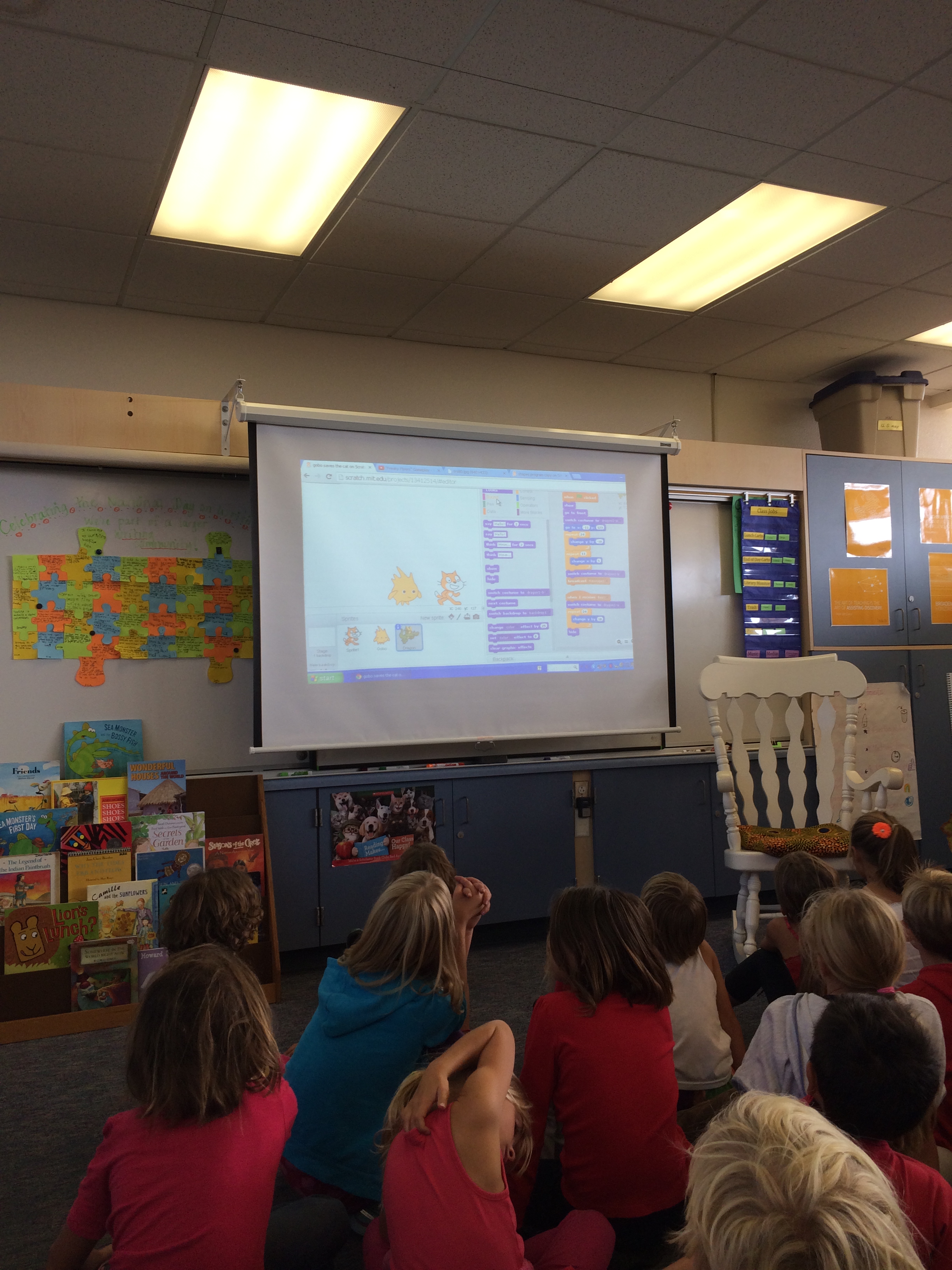
Then he helped to connect this work that he does with our work on Hopscotch (an app), built on the shoulders of Scratch (a program developed at MIT).  He showed us a few kid-made Scratch programs and had the kids make suggestions for changes.  In a matter of a few minutes, he showed how the iterative process is essential for programming.

photo_2-2

At this point there were about ten minutes before recess, so we offered our students this short time to return to Hopscotch and try their hand at some more programming.  Students were quick to get set up…and were immediately focused and engaged with working with code.

photo-3

I watched them try something and then go back and make a change and run their program again.  When students showed me something they had created, I also asked them to show me the code–and in many cases asked them explain their thinking behind the code–so I can learn along with them.  When it was time for recess, we offered students a choice…they could put their iPad away and go out for recess or they could stay inside and continue their coding.  Only 8 of our 44 students chose to go out.  The rest were totally absorbed with programming on Hopscotch!

I’m working at my edge on this new horizon of learning to code with my students…and it’s uncomfortable at times.  But knowing that this is also where learning happens is exciting.  I’ll probably spend some more time on Hopscotch (or maybe even Scratch) this weekend.  If you have any coding advice, I’m happy to receive it!

Here’s a great TED Talk by Mitch Resnick, one of the creators of Scratch, explaining why students should be involved in programming.  Maybe we should all try it out!

And if it’s not coding, what new horizons are in your future?  What are you doing to find the “edge” of learning?

Experiencing the Underbelly

I often write about the benefits of being a connected educator.  Today I experienced a bit of the underbelly.

As I do everyday, I spent my morning teaching students.  We sang, discussed, explored some new math strategies, wrote and shared.  From the time school started until lunch, I didn’t have time to email or post or tweet.  But apparently my twitter account did…

When I looked at my phone at lunchtime I noticed a number of twitter alerts and text messages visible on the lock screen.  Texts from my son and my nephew warning me that I’d been hacked alongside DM (direct message) notices from people I don’t know (even virtually) recommending web links to me–and one from a friend asking if I had been hacked.  I had a few twitter mentions from some virtual friends suggesting I change my password because they were getting DMs from me.  A peek at my email showed some more messages from people I know recommending that I change my password–they too were getting DMs from me.

I also got an email from Twitter telling me my password had been reset.  Apparently my account had been quite busy while I was otherwise occupied with my teaching!

So I spent some time resetting my password, and then responding to my friends and family to let them know that I appreciated their advice and warning.  I also noticed that I wasn’t the only one victimized by Twitter spamming today.  Here are a couple of other tweets pointing out the problem.

Screen Shot 2013-10-16 at 7.28.41 PM

Screen Shot 2013-10-16 at 7.29.24 PM

I don’t like that my account was hacked or that it looked like I was sending out annoying messages to my Twitter community.  But I also know that this goes with the territory.  Being a connected educator means that I have to deal with the hassles of technology and social media as well as reap the benefits of it.

I appreciate that my Twitter community remains cool and matter of fact even when faced with annoying and sometimes confusing security breaches…and they help me know how to act when I experience these same issues.

And in spite of the problems, I remain a connected educator.