Tag Archives: technology

Time to Create: SOL24 Day 1

I have a love/hate relationship with technology in my teaching life. I love the possibilities that technology offers and hate dealing with the glitches, the learning curve, and the challenges of keeping my students on task with more creative tasks. When I moved to first grade after the pandemic, I left the creative use of technology mostly behind and instead depended on those practice apps as my primary use of technology in the classroom.

I’ve been starting to feel like my students need opportunities to be creators using technology instead of consumers of content that others have made. So with a bit of a nudge from my sister, I started thinking about a digital storytelling project where my students would create Public Service Announcements (PSAs) for things around our campus that were either going well or need more attention.

We spent time earlier this month studying stories and breaking them down to three main parts: the beginning where the context is set, the problem (or the danger as one student described it), and the solution. They took a wonderful wordless story, Flashlight by Lizi Boyd, condensing it to three drawings that told the major story elements. They wrote their own stories based on a character drawing from our fifth grade penpals including those same three story parts. At this point, I was ready to embark on the digital storytelling project.

So…this week we learned about three photography techniques: bird’s eye view (a perspective from above), bug’s eye view (getting low and looking up), and the rule of thirds (where the focal part of the photograph is positioned in a particular third of the frame). We studied some examples and then headed outside to try on these techniques by going on a photography scavenger hunt. The first graders in my class loved this activity and clearly began to understand the three different techniques. While not all the photos are stunning examples of photography, they are gaining experience with the camera on their iPads and making intentional choices about the photographs they take. Here’s a few first grade examples.

The next day we brainstormed things that our school does well and things that need more attention. We know that our school is quite good at composting and that students need reminders to eat their snack and lunch before running onto the playground to play. We ultimately came up with eight different topics. After students listed their top three topics to work on, I put them into teams so they could help each other to tackle the topic selected. Student then drew the three photographs they would take on campus to create a story of change…a public service announcement.

I was nervous this morning. Would they be able to take photos that would work in their PSA stories? Could they use each other as actors in the photos they envisioned? How would they handle the openness of this task? Would they be distracted and tempted to mess around instead of focusing on the photos?

After a little bit of in-class modeling, we all headed out with iPads in hand. I love it when students surprise me with their creativity and focus…and that was definitely what happened today. Students supported each other, posing and directing. They checked their photos to make sure faces were not visible (one of my requirements), and they all got their 3 photos taken. I loved watching the cooperation and teamwork and was thrilled that I didn’t have to referee any problems. I saw students who are often followers in the classroom take the lead in this creative pursuit and shy students step up to let others know exactly what they needed for their photos. When we returned to the classroom, we spent a few minutes back in teams giving each student a chance to show their photos to each other and tell their story based on the photos.

On Monday we will be learning iMovie and transforming these three still photos into a short video PSA, complete with voiceovers. Wish me luck! My fingers are crossed that our photos will turn into wonderful video PSAs!

From the Scraps: NPM20 Day 26

These last couple of days have felt like summer.  Temps rising into the high 80s, cloudless deep blue skies, lengthening days and so much time at home–it’s hard to believe we are still in April.  And we came home from the grocery store with an artichoke yesterday; a huge, round, green globe that ended up as part of our dinner tonight…and the subject of today’s poem.

img_6746

In the Artichoke Scraps…

In the purple papery leaves

summer emerges

and I remember racing through the sprinklers

screaming as the cold droplets landed on warm skin

laughing with my sister

as we ran back and forth across the lawn


In the salty butter

I taste home

dinner like clockwork at 5

our family of 4 gathered around the dinner table

to eat and argue

mediated by dad and the dictionary


In the sharp spines

a fortress is present

circle the wagons

with our hearts, soft and tender, at the center

guarded carefully

closing tightly when necessary


In the leaves, the curves, the smells, and the taste

of an artichoke

lives

my childhood

home

comfort

and love

all wrapped up in a thistle

®Douillard

img_6747

Weekly Photo Challenge: STEM

Here’s the week 7 Weekly Photo Challenge prompt for the NWP iAnthology!  (Here are weeks 12345, and 6 if you want to look back.)

Probably because I have been busily writing a grant this week for state funding for our writing project site, all the current educational buzz words are bouncing around my brain.  One that has been getting lots of play lately is the acronym, STEM (Science, Technology, Engineering, and Math).

So that has me thinking, what does STEM look like in my photographs?  Today I happened to attend a technology event at the new public library in downtown San Diego called Innovation Day.  The goal was to bring technology leaders of all sorts (from superintendents to ed tech and IT folks to classroom teachers) together to examine some products from vendors and to hear some short presentations about the use of a variety of technological tools.  Walking around the beautiful new library building was a treat in itself, featuring breathtaking views of the city and the bay and some unique architectural features.  This fits the “E” in STEM for me (could probably include some “M” too!)

SD library dome

The beach seems to fit every photo category for me.  This pairing of seashells shows symmetry and the fibonacci sequence.  We don’t always think about math when we look at seashells…but they are perfect examples of those mathematical concepts I just mentioned. Do you know which is which?

photo-97

And then there are the intricacies of science.  The biology of grasses that grow on the sea cliffs, the slow and constant wearing of erosion on the geologic features, the physics of waves…

photo-98

So this week’s photo challenge is to represent STEM in photos. Where do you find science, technology, engineering and math?  How does looking through your camera lens through the lens of STEM impact what you see and what you share?  Share a photo (or several) that pictures STEM in some way.  Post either the photo alone or along with writing inspired by the photo.  I also invite you to use others’ photos as inspiration for your own writing and photography.  I often use another photographer’s image as “mentor text” for my own photography, trying to capture some element in my own way.

I like to share my images and writing on social media…and I invite you to share yours widely too. (You might consider Twitter, Instagram, Facebook, Google+) Use the hashtag #STEM and include @nwpianthology to make it easy for us to find and enjoy.  You can find me on Twitter and Instagram @kd0602.  I’d love to follow you if you share your handle.

You can also share your photos and writing by linking to this blog post or sharing in the comment section below.  I am excited to see how you represent STEM through your lens!

Engagement, Learning, and Technology

How do we, as teachers, use technology in ways that improve opportunities for student learning in our classrooms?  Now in our second year with 1:1 iPads, this question is always on our minds.  My teaching partner and I are always thinking about ways to increase student engagement and participation in all aspects of the classroom–in line with our beliefs that engagement and participation play an important role in learning.  Sometimes those ideas involve our iPads–and somethings they don’t, we are always considering student learning rather than iPad use as the goal.  Paula over at Amplifying Minds wrote earlier today about the role technology should or could play in enabling learning.

This week we experimented with using the app educreations as a tool during our morning calendar time to encourage more interaction and participation.  My immediate observation is that more students can share their mathematical equation generation since the white board feature allows students and teachers to see many more attempts than were available orally.  And the novelty factor is certainly at work–students are interested in using the iPad, so there is more immediate engagement.  I do realize we could do a similar process using our actual handheld white boards and markers–messier, but similar.

I’m also seeing students use different aspects of the educreations app for their equation generation–the typing feature, the writing feature, a variety of colors…  (And it’s way less messy than the markers!) I feel like this is just the tip of the iceberg of possibilities, and I suspect that students will show us more ways to use this tool.

And an added bonus was reported back to me…a guest teacher who worked for my teaching partner on Wednesday using this new tool in our classroom implemented this strategy in another classroom later this week.  She was quite excited about the success and engagement the students experienced, and proud of her own ability to implement a new strategy with the students.

photo-4

Sometimes it take a new tool, like the 1:1 iPads to push our thinking about ways to modify our own teaching strategies…to move out of comfort zones and try new ways of working with and engaging students.  I don’t have any illusions that this particular strategy being a ground-breaking innovation in learning, but even small steps can improve the learning experience for students.  We just have to keep moving forward…and be open to experimentation and listen to student ideas about innovation as well!

How are you supporting and enhancing student learning in your classroom?

A Lesson in Resilience

Learning is what school is all about…and I’m lucky to learn with my students every day.  Today’s lesson was all about resilience.

We have 1:1 iPads in our classroom–for the second year in a row.  It’s one of those mixed blessings:  a flexible tool that kids love to learn with, and a tool with a mind of its own that creates havoc with lessons from time to time.  Last week, before the students arrived, Margit and I spent time sorting out our returning students’ iPads and assigning the newly “cleaned” iPads to our new students.  We made sure to sync the entire batch to our “cart account” to ensure that all our apps were on all the iPads and we also charged the iPads so they would be ready to use.

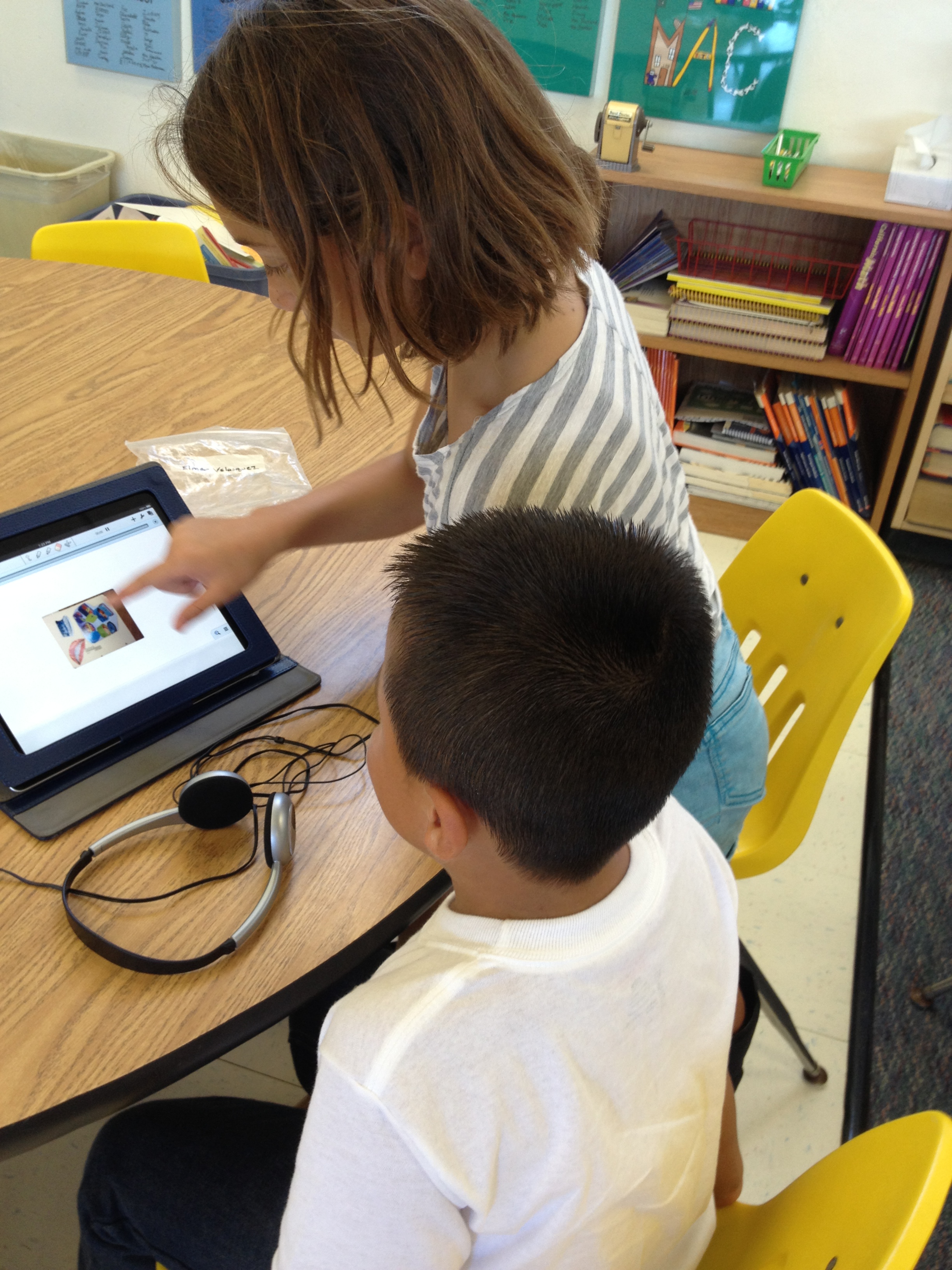
We introduced (or reintroduced) the iPads on Tuesday (the first day of school) with our focus on care, basic operations, and getting the IPads out and putting them away.  Students constructed rules for iPad use yesterday…and we had grand plans for a project involving the iPads today.  Things began smoothly…we split the students this morning with returning students in one room “cleaning up” their iPads and new students in the other room personalizing theirs. Students were successful and engaged–helping one another and taking care of business.  That wonderful “buzz” permeated the classroom as we all were reintroduced to our tools after a summer away from them.

We moved on to our project…working with personal “artifacts” to tell a story about ourselves. Each student photographed their artifact.  They worked to ensure they captured the item in the photo, careful to keep fingers out of the way and not let the iPad cover block the lens.

After recess we moved on to the next step: using the Notability app to import the photo and then record their voice telling the story of the artifact.  We walked through the basics of the directions confident that students would help each other through the steps.  And then the rumbles began…

It quickly became clear that our new students did not have the Notability app on their iPads–in spite of our syncing last week–and it wasn’t a quick fix.  Times like these doubly reinforce the benefits of co-teaching.  Margit worked with the IT support as I encouraged students to rehearse for their eventual recording, even without the iPad.

As you might expect, there was some anxiety from those without iPads–wondering if they would get to work on their projects and the sense of frustration that comes with plans gone awry.  But overall, resilience won out.  Our projects did not get done today and students have been reassured that they will get to return to the work tomorrow…with Notability installed on all the iPads.  As teachers, we once again learned the importance of resilience and flexibility and a sense of calm in the face of a potential storm.

I know that in spite of the frustration, our students will benefit from learning how to respond when technology complicates our best laid plans.  We hear plenty about this generation’s need for immediate gratification and inability to wait…often attributed to new technologies.  And sometimes I don’t think I am any more patient than they are!  But what I know from experience is that the use of these digital tools in the classroom is the perfect venue for teaching delayed gratification, problem solving, cooperation, and resilience…important life lessons for all of us.

Some Thoughts on Digital Learning: #Leadership Day 2013

Scott McLeod over at Dangerously ! Irrelevant is celebrating the 7th anniversary of his blog today and inviting educators to share views on effective school technology leadership on what he calls Leadership Day 2013.

In lots of way I have been fortunate in my district with technology–our administrators employ a person to provide tech support to troubleshoot problems, send me to trainings if I ask to go, and trust me to figure out what is best for my students.  But I would say that those conditions are not enough to ensure participation of teachers who feel less confident with digital literacy and need more direction and support to implement robust technology use in their classrooms.

But instead of saying just how to support these teachers, in this post I will talk about the pieces of technology leadership that I feel are most often overlooked.  They are two very different but very important aspects of digital literacy:

  • Consideration of the impact of technology on student learning
  • Leadership by example by being a user of digital tools

Consideration of the Impact of Technology on Student Learning

There seems to be lots of attention to hardware decisions in education–Macs or PCs, tablets or chrome books, smart boards, document cameras…  The list goes on.  And there’s lots of attention to software and applications and how technology supports teachers–ease of grading, presentation tools, record keeping…  What is missing for me are meaningful conversations about the ways technology and digital literacy impact student learning.  Instead of asking each other what apps to use on classroom iPads, I think we need to ask how digital tools support student learning.  How can students transform information in ways that make it relevant and meaningful–and accessible in novel situations?  Instead of deciding between Evernote and Notability, we need to have conversations about how and why students will use this type of application–and it probably doesn’t matter which you choose if you have reasons that support student learning.

Leadership by Example by Being a User of Digital Tools

What I notice from my own Professional Learning Network (PLN) on Twitter is that educators who are thinking about the ways digital tools impact student learning are also actively using digital tools for their own learning.  They are blogging about their professional learning, tweeting articles and links about research and thinking about digital tools, they are experimenting with new ways to represent their own learning with video, digital photography, infographics, and other digital tools, and they are actively learning with and from other educators trying similar tools.   I do see a few administrators and district leaders joining in this effort–and it seems that those who do have a bigger impact on the implementation of technology in their districts. The more district leaders use digital tools themselves, the better positioned they are to understand the benefits and challenges of them–and the potential implementation possibilities for use with students.

Our students will be using digital tools–they are pervasive in our lives.  Our question as educators is how do we use these tools to support our students’ learning…and help our students (and ourselves) see and use these technologies in ways that make us all more thoughtful, efficient, and productive?  Leadership is essential to successful implementation.  I hope my suggestions give some food for thought for those in leadership positions for the implementation of technology in education.